Offline-first password security
An offline password manager that keeps your vault on your phone.
BlackVault helps Android users store passwords, 2FA codes, recovery keys, and private login details locally — without creating an account, syncing to the cloud, or depending on remote servers.
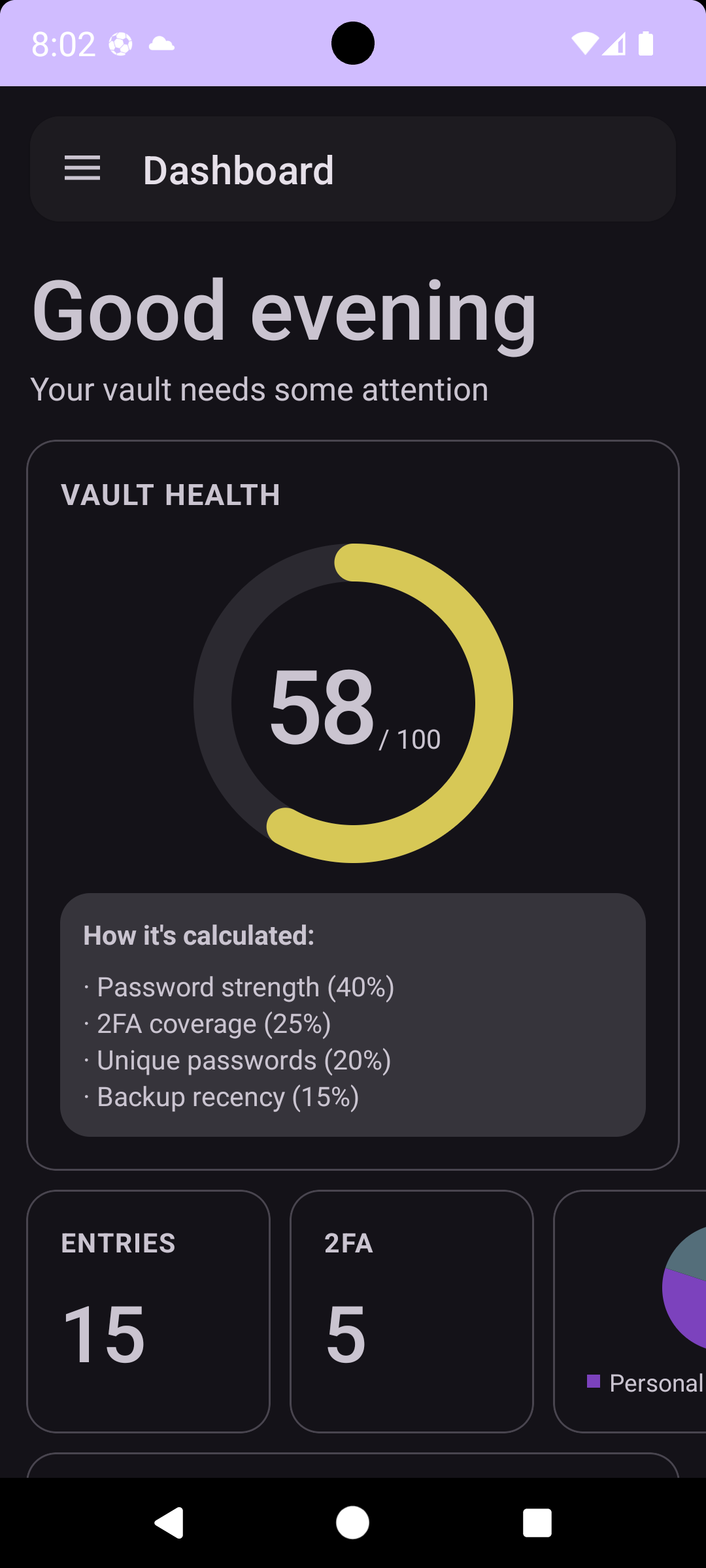
Built for privacy
Everything you need to organize credentials without the cloud complexity
BlackVault focuses on the essentials: encrypted local storage, faster unlock, cleaner organization, stronger passwords, and safer backup options.
Why Offline
Not every password vault needs to sync everywhere.
Many password managers are built around accounts, servers, subscriptions, sync layers, browser extensions, and recovery flows. That works for some users. BlackVault is for people who want a simpler privacy model: keep the vault local, keep control of the master password, and avoid unnecessary cloud exposure.
Questions people ask before choosing an offline password manager.
Is BlackVault a cloud password manager?
No. BlackVault is positioned as an offline-first password manager. The goal is to keep your password vault local instead of syncing it through a cloud account.
Do I need to create an account?
No account is required to use the vault. That makes BlackVault simpler for users who do not want another login just to manage logins.
What happens if I forget my master password?
BlackVault does not rely on a remote reset flow. That protects the zero-knowledge model, but it also means you are responsible for remembering your master password.
Can I back up my vault?
Yes. BlackVault supports backup and restore tools, including CSV backup and encrypted vault backup options.
Does it include a password generator?
Yes. BlackVault Premium includes randomized passwords and passphrases with configurable length and character rules.
Can it store 2FA codes?
Yes. BlackVault Premium includes a built-in TOTP authenticator so you can keep 2FA codes next to the credentials they protect.
Download BlackVault and start building an encrypted offline vault on your device.